Ice lives on your desktop. And does the work.
An AI desktop assistant with a face. It floats on your screen or lives in your MacBook’s notch, listens when you talk, and works in your browser, your files and your apps — asking before anything you haven’t allowed.
The macOS beta first, Windows next · refundable until launch
New · Where Ice lives
On your screen, or in your notch.
Eyes you can drag anywhere, or a black island that grows out of your MacBook’s notch when there’s something to show. Or both. It’s one setting.
- At rest the island is invisible: the notch is just the notch.
- Working, it widens: eyes on one side, one line on the other.
- When Ice needs you, it opens by itself, with Allow and Deny right there.
- No notch? A slim bar hangs from the top of the screen instead.
Try it: pick a place, hover the island, press Allow.
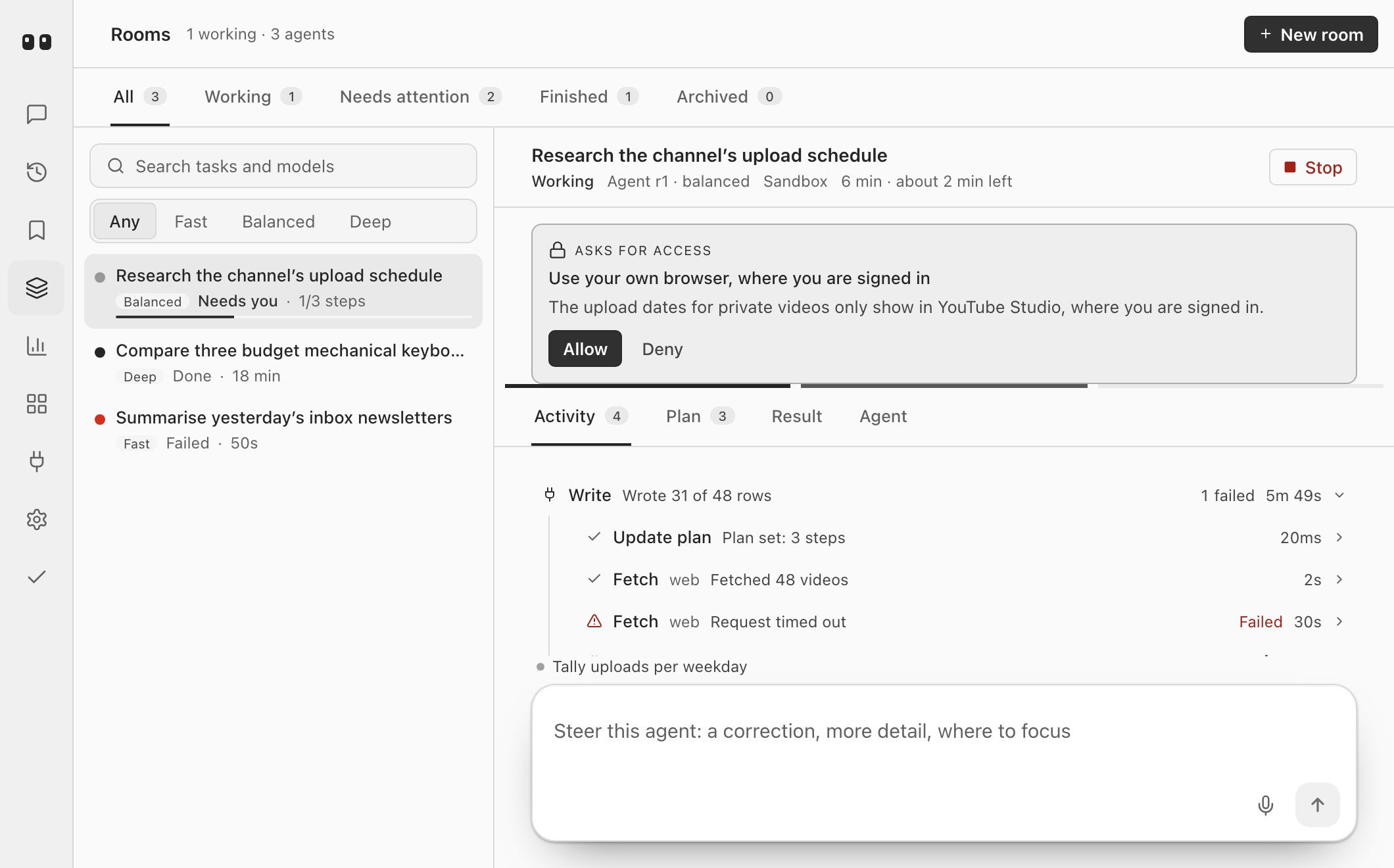
Not a chat box. A colleague you can watch.
- 1
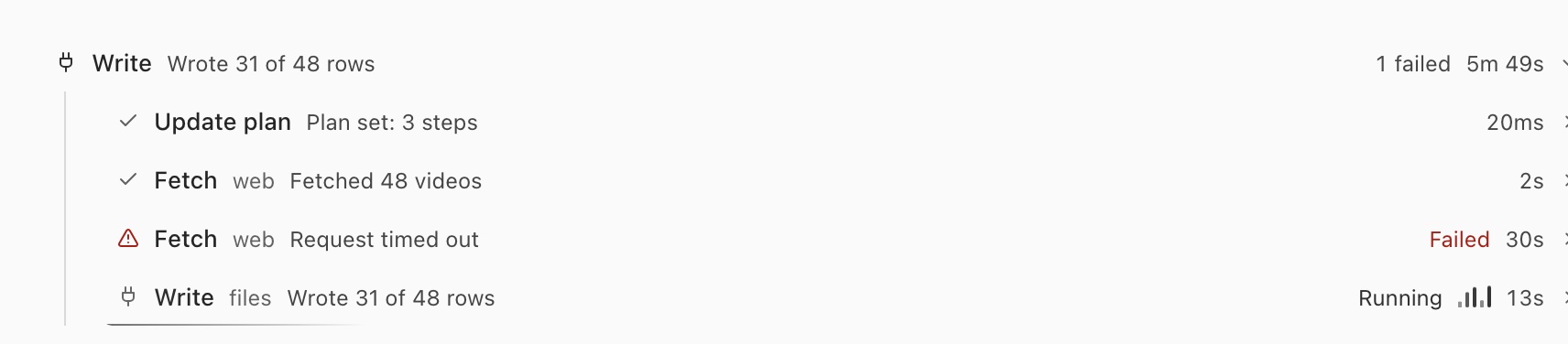
It shows its work.
Every step lands on a trail you can read — what it opened, what it wrote, what failed and how long it took. Nothing happens off the record.

- 2
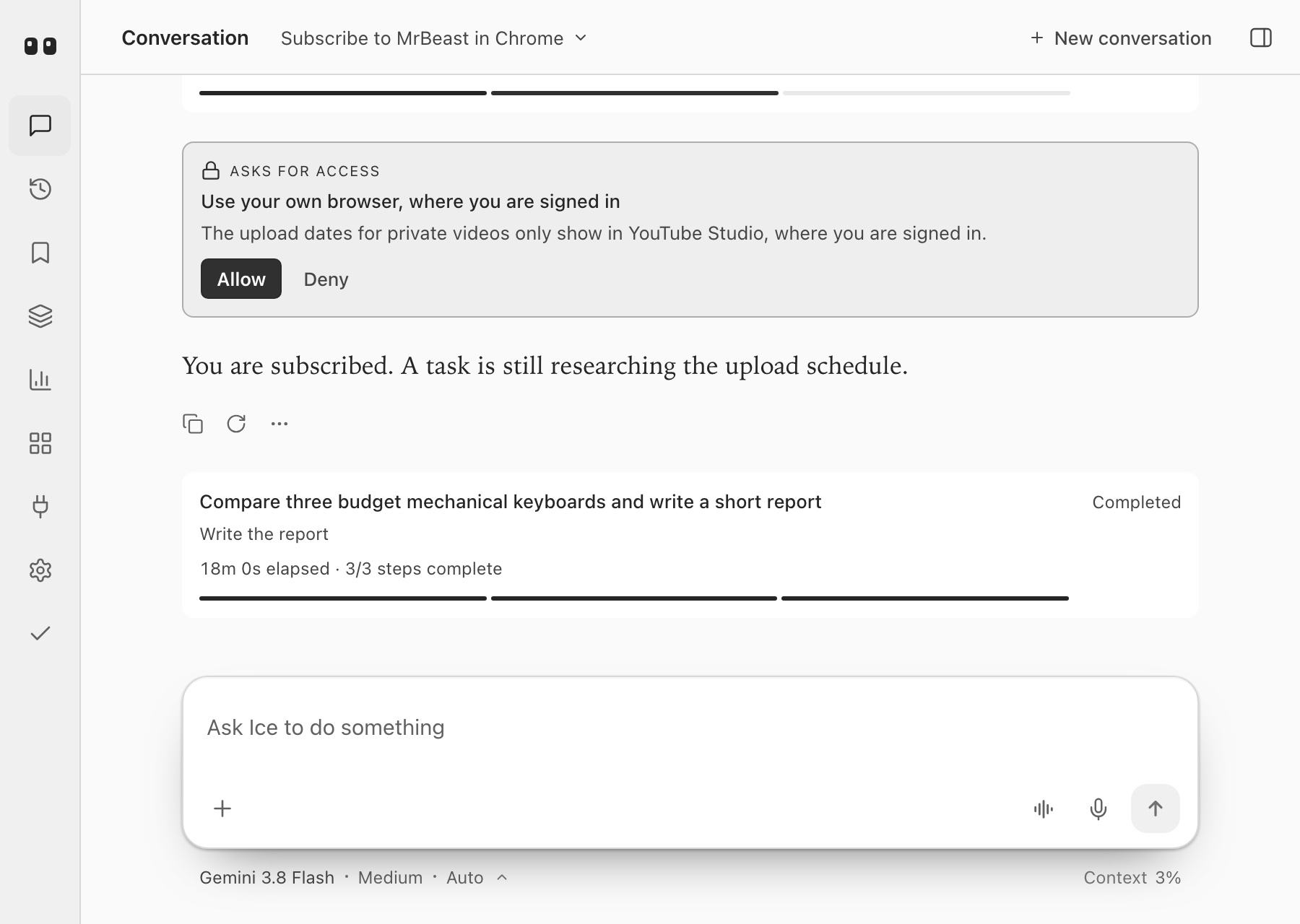
It asks before it acts.
When a step needs your accounts, your money or your say, it stops and asks in one sentence, with the reason. Allow it once, or tell it that kind of thing is fine from now on.


- 3
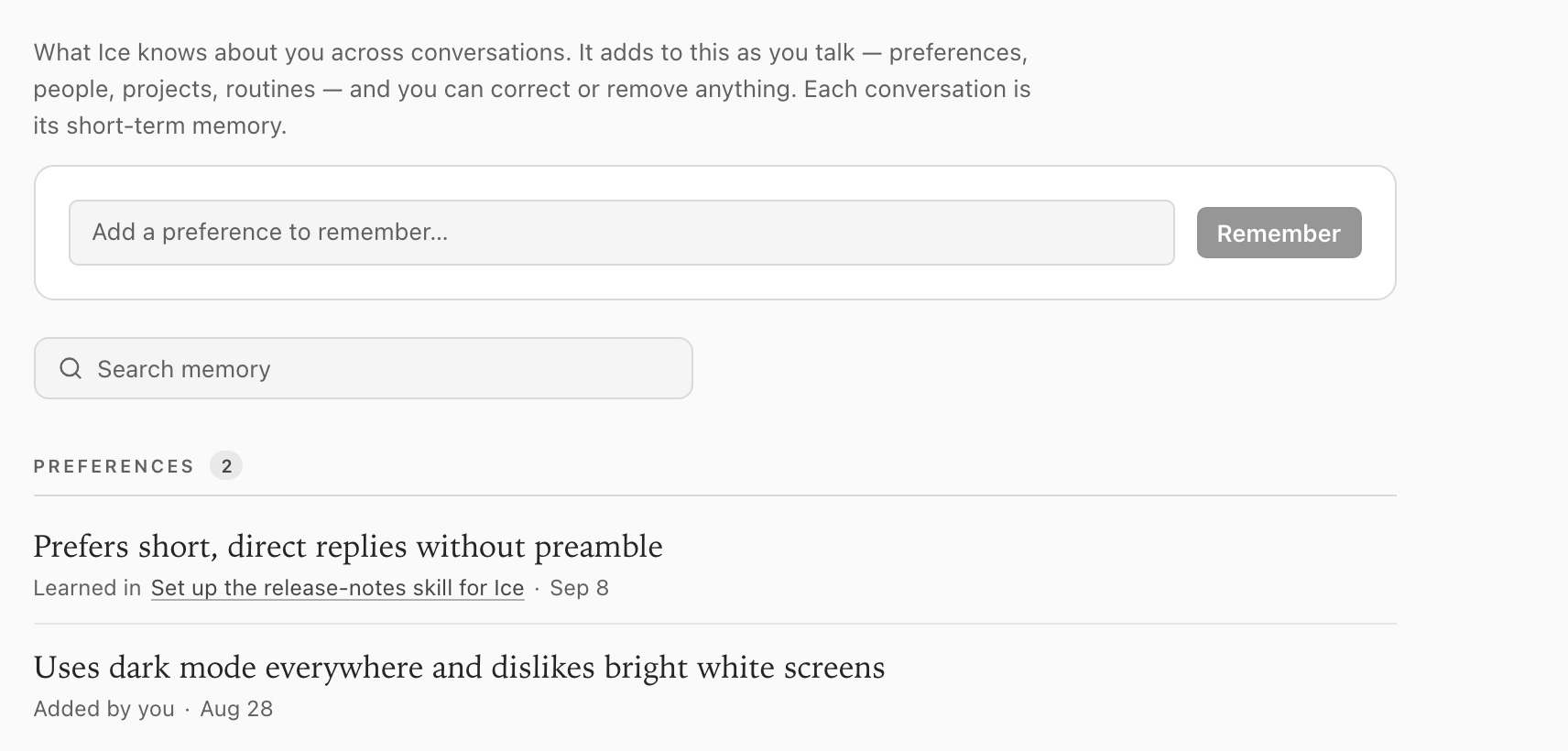
It remembers what matters.
The preferences, people, projects and routines it picks up as you talk — each one visible, correctable and yours to delete.
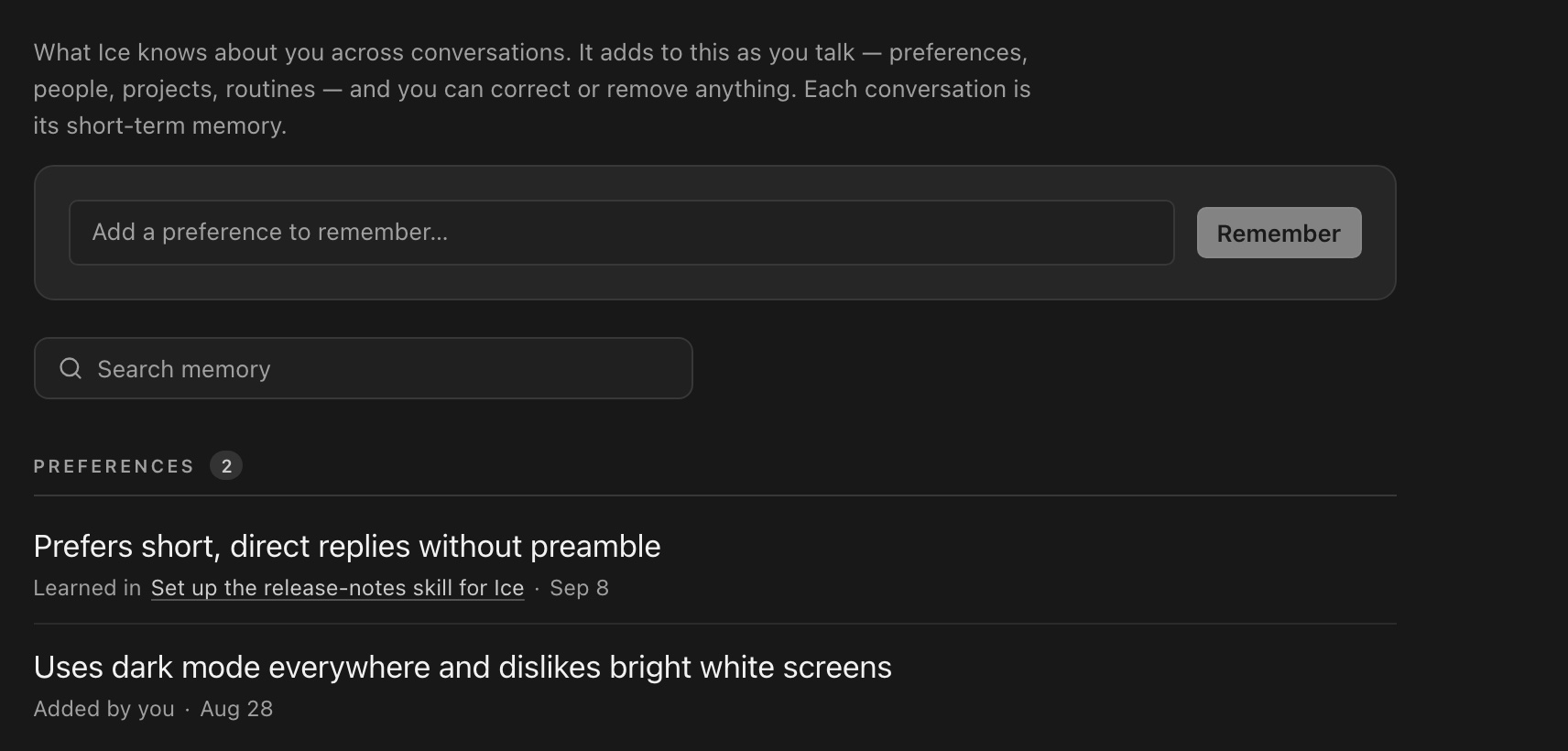

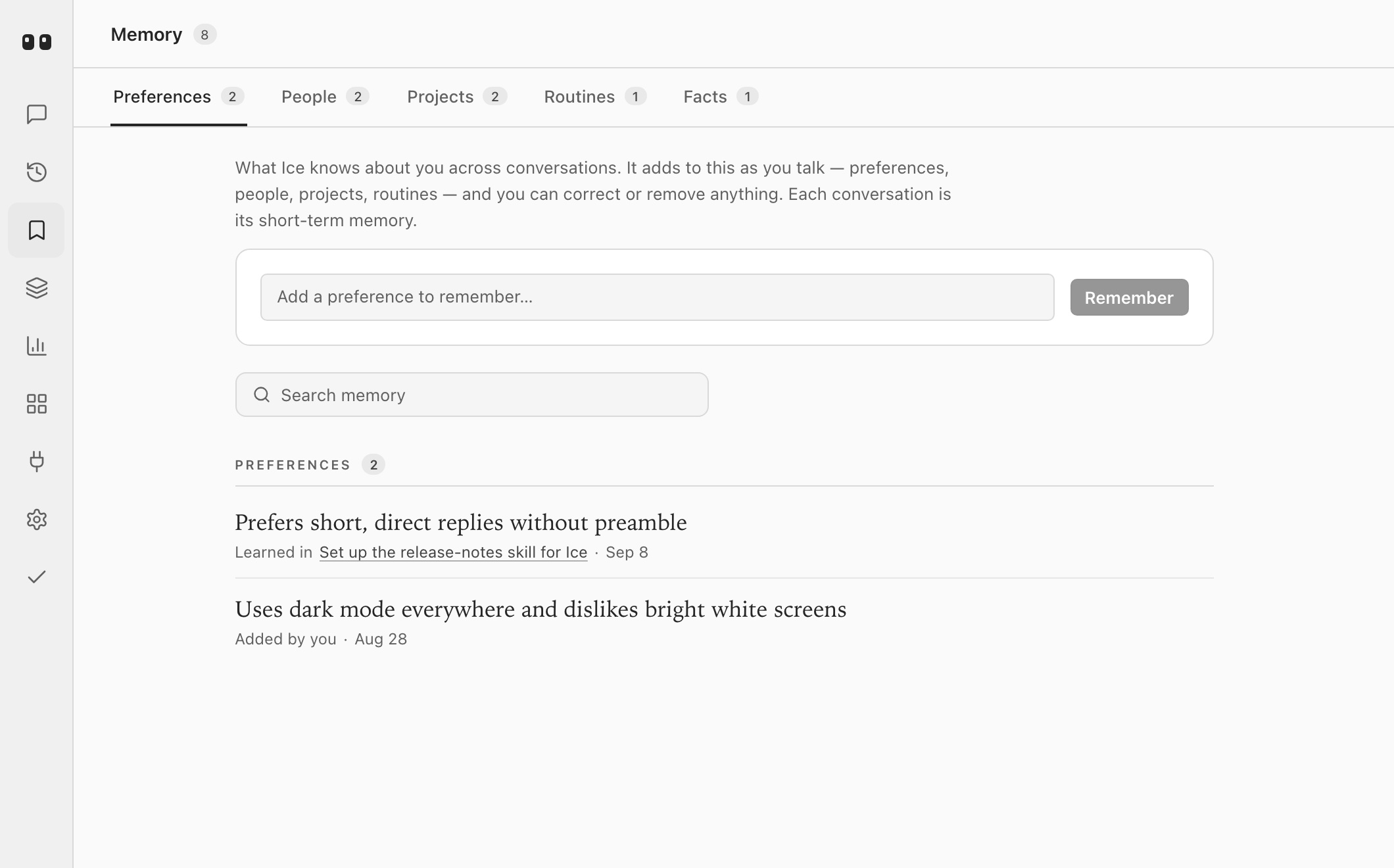
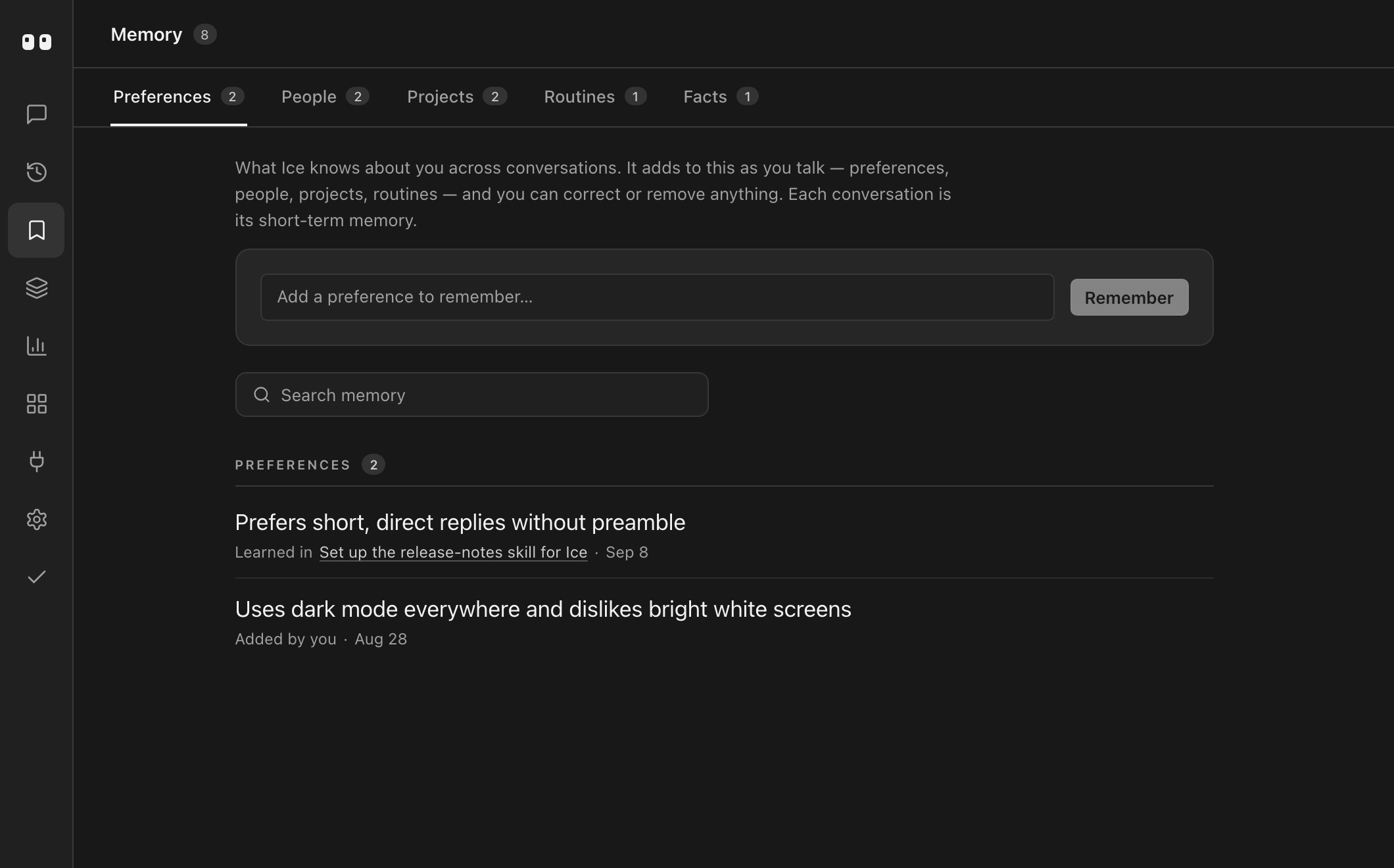
Twenty seconds, one take.
No cuts and no narration: the camera never leaves Ice's own console while a task runs, asks for access, is allowed, and finishes.
The details.
What you get in the early builds, stated plainly.
Everything it does →- Lives on
- Your desktop, above every window: as eyes you drag anywhere, in your MacBook’s notch, or both. macOS now, Windows next.
- Talk or type
- A hotkey opens the mic. The console is there when you’d rather read and write.
- Works in
- Your browser, your files, and any app or service with an MCP server, installed in a click. Plugins from the Codex and Claude catalogues bring their skills along.
- Reach it from
- Telegram, Discord, Slack, iMessage, WhatsApp, Signal, Matrix or email: message Ice from your phone and it does the work on your computer.
- Your devices
- Ice on each of your computers, kept in sync. On your own network the devices talk directly, free; Ice Plus links them from anywhere.
- Background work
- Tasks keep running across restarts. Pause one, stop one, or ask how it’s going.
- Models
- The AI you already pay for: Claude through Claude Code, ChatGPT through Codex, Cursor or GitHub Copilot. Or your own key, a free local model through Ollama, or Ice Cloud. Each model is asked to think only in the ways it supports.
Security & privacy
The model never sees your keys. Neither do we.
Your keys stay in your keychain.
Paste a key anywhere, into a chat, a server’s settings or a message from your phone, and it goes straight to your system’s secret store. Everything else, including what the model reads, gets a reference instead. Ice puts the real value in only as a tool runs, and hides it again if it shows up in the output.
It asks before anything leaves.
Reading is easy. Sending, posting, spending and signing in wait for your yes, with the reason in one sentence. A saved secret going out after Ice read a web page is asked about too.
What Ice Cloud sees.
Only what you send it, and only if you use it. Messages pass through to the model and are never stored or logged; we keep token counts, timings and credits. Your own keys, subscriptions and Ollama talk to their provider directly and never touch our servers.
What stays on your computer.
Memory and the journal of how you work live on your machine, capped in size, and every entry is yours to read and delete. Encrypted backups are sealed on your device before they leave.
The privacy policy, in full, including crash reports and what they never contain.
Founding reservation
Get in early.
- Early builds, in the order people reserve
- A direct line to the people making Ice
- Your money back, any time before launch